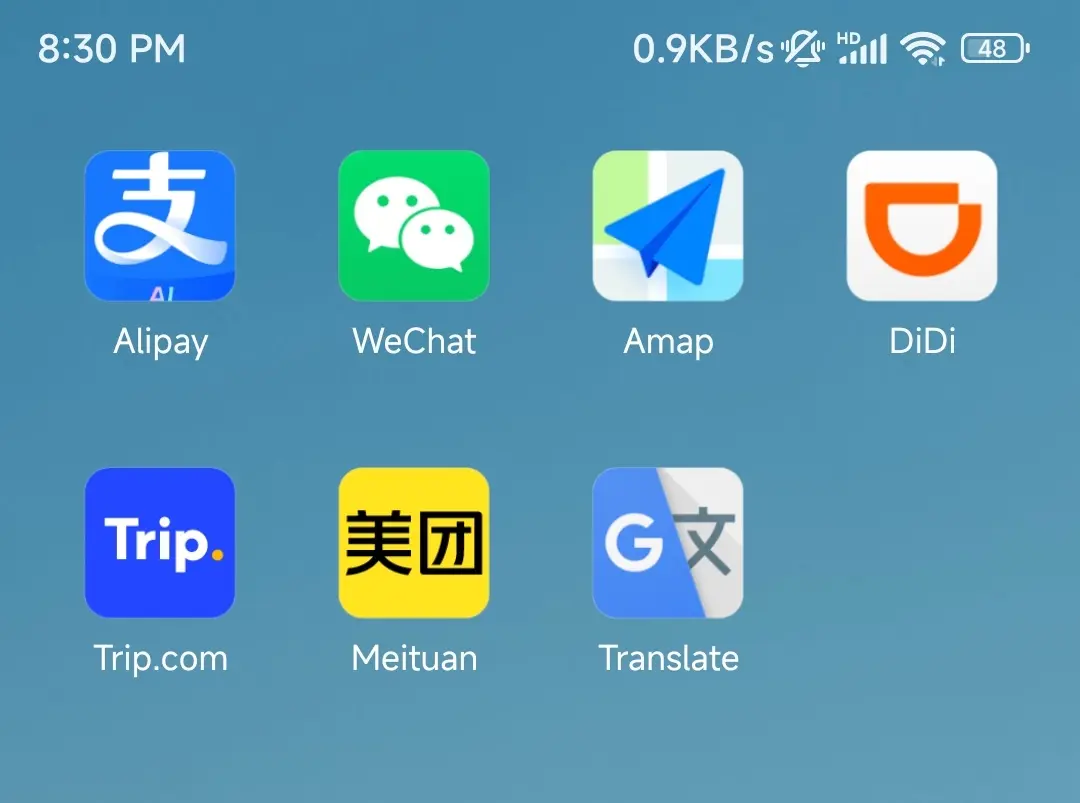
Must-Have Apps for China Travel (2026): 15 to Download Before You Land
A Phone Is Your Wallet, Map, Menu and Ticket in China
I was born and raised in China, and I honestly can’t remember the last time I paid with cash. I leave the house with just a phone. I order meals by scanning a QR code, tap through the subway turnstile the same way, and even the old man selling roasted sweet potatoes on the corner has two payment codes taped to his cart.
For a foreign visitor, that’s both a convenience and a wake-up call. China now has over one billion online-payment users, and mobile payments cover more than 85% of everyday spending. A lot of restaurants don’t print paper menus anymore, and many subway stations have no staffed ticket windows. Getting the right apps for China travel is the difference between a smooth trip and a frustrating one. Show up without them, and your first meal might be the first thing you can’t get.
So get the must-have apps for China travel sorted before you fly. The table below is the homework to finish before you land.

The Must-Have Apps for China Travel, at a Glance
This is the whole list of must-have apps for China travel in one table. Not every app for China travel is essential for every trip — but the first four (a wallet, WeChat, a map and a ride-hailer) pretty much are.
| Category | App | Why you need it | Do this before you land |
|---|---|---|---|
| Payment | Alipay | The most foreigner-friendly wallet — link an overseas card and pay almost everywhere | Link Visa/Mastercard + verify your passport |
| Chat + backup pay | Message locals, scan menus, open mini-programs | Sign up + verify your passport | |
| Navigation | Apple Maps (iPhone) or Amap | iPhone users get English natively; Android users use Amap | iPhone: nothing to download. Android: switch to English + download offline maps |
| Ride-hailing | DiDi | China’s Uber, with an English interface and auto-translated chat | Link a card, or pay through Alipay |
| Translation | Google Translate | Camera-translate menus and signs | Download the offline Chinese pack |
| Trains + hotels | Trip.com | Book high-speed trains and hotels in English | Register + enter your passport details |
| Food delivery | Meituan | Order takeout, find restaurants — English interface built in | Switch to English in Settings |
| Internet | eSIM (or VPN) | Get online the moment you land, reach Google and WhatsApp | Buy and install before you fly |
Those eight core entries are the must-have apps for China travel. Five more are worth a download if you have room: Baidu Maps (a backup navigator), MetroMan (offline subway routes), Pleco (an offline Chinese dictionary), Dianping (China’s Yelp for finding restaurants), and Xiaohongshu (China’s Instagram for local tips).
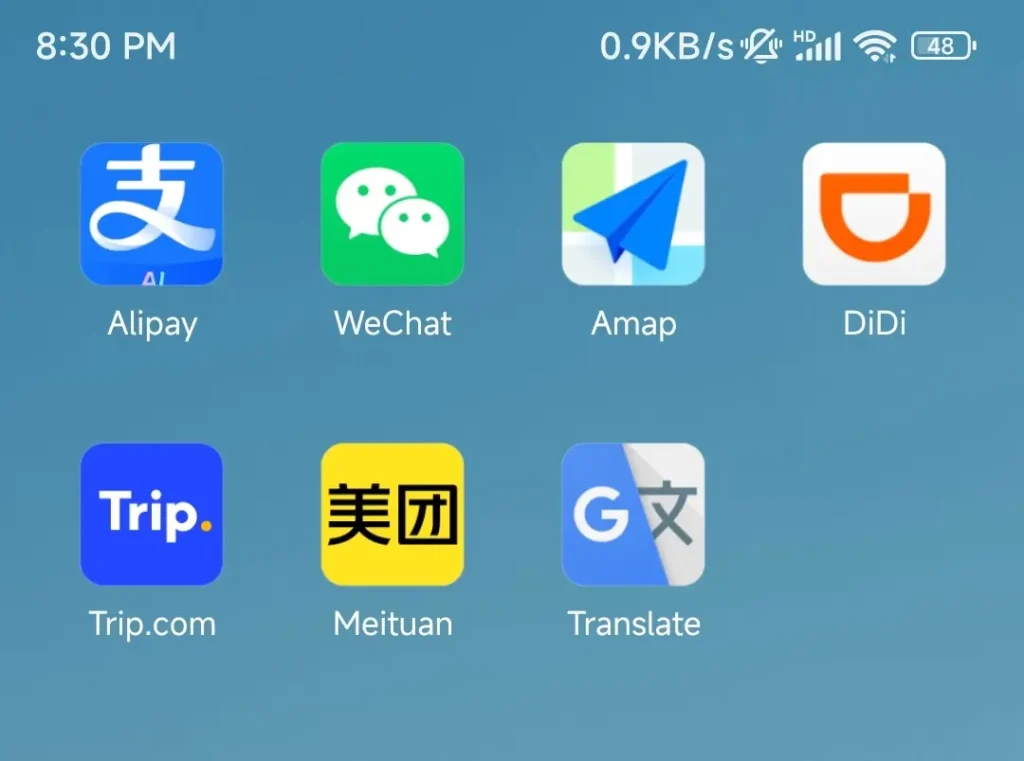
Apps to Download for Your China Trip (Before You Land)
The apps to download for a China trip come down to eight categories. Here’s how to set up each of these must-have apps for China travel so it actually works on day one.
Alipay — Do This First
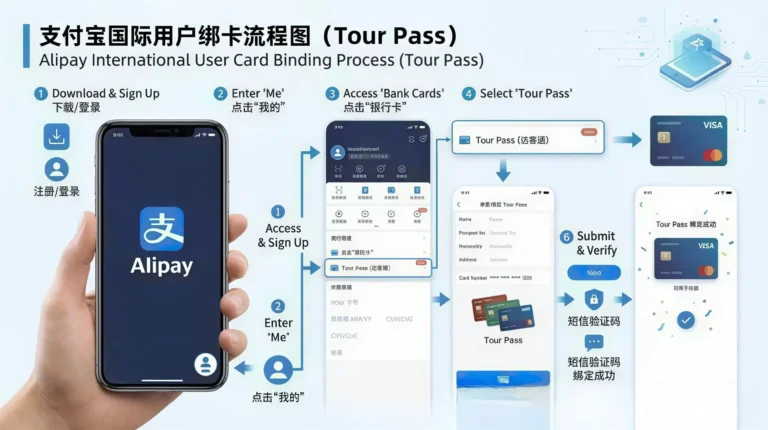
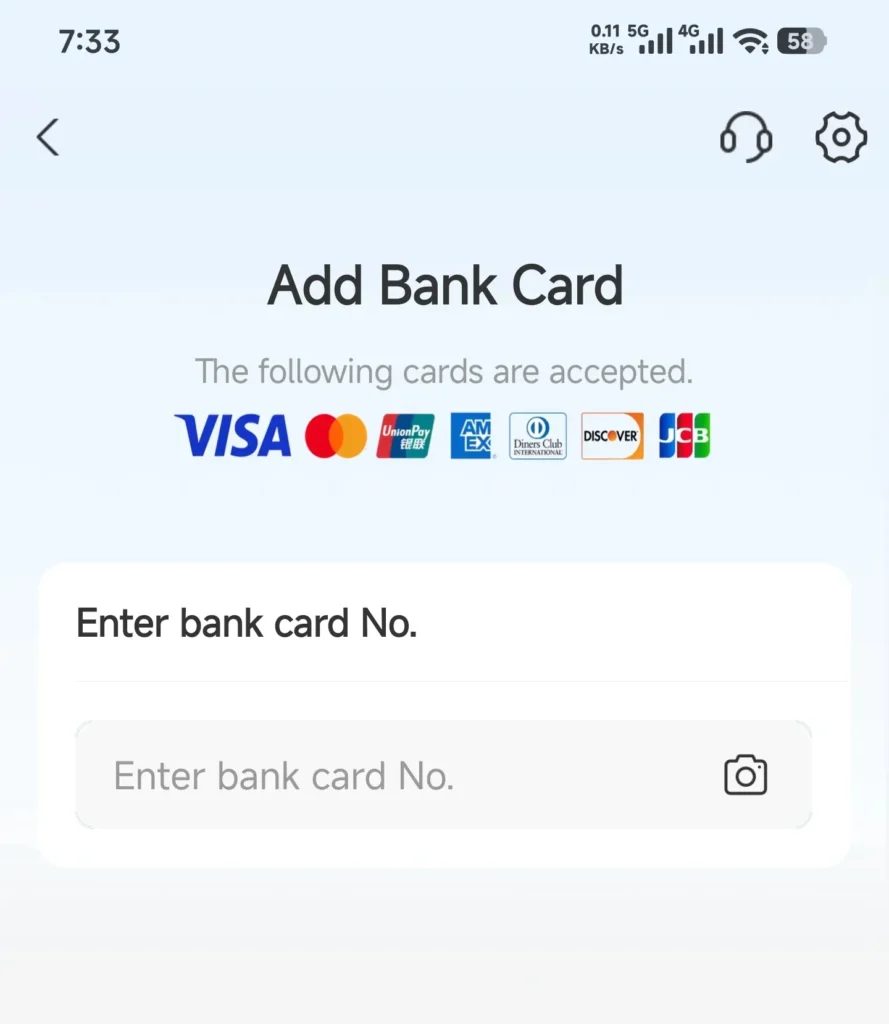
Download Alipay, pick your country code, and sign up with your overseas phone number — a text verifies it. Set a login password and a six-digit payment PIN. Then go to Me → Settings → Account & Security → Identity Information, photograph your passport, and pass a face scan. (In 2026 the checks got stricter: if the face scan keeps failing, some versions let you tap your phone’s NFC against your passport chip instead — just make sure NFC is switched on and your passport carries the electronic-chip symbol on its cover.) After that, open Me → Bank Cards → Add Card, enter your card number, expiry and CVV, and confirm through your bank’s 3D Secure.
To pay, scan the merchant’s code with “Scan”, or show your own code with “Pay”. Two numbers to remember: a single payment caps at ¥3,000 (about USD 429), and ¥60,000 per year (about USD 8,571). Payments under ¥200 (USD 29) are fee-free; above that Alipay takes 3%. The money comes straight off your overseas card — no top-ups needed.
One extra step for subways: linking your card to Alipay isn’t enough to ride transit. Open Alipay, tap Transport (出行) on the home screen, select your city, and finish the one-time activation — it asks for your six-digit payment PIN again. Once it’s active, a dedicated transit QR code generates instantly for subway and bus turnstiles. Want the full walkthrough? Here’s our full Alipay setup guide for foreigners.
WeChat — Set Up Your Backup
WeChat follows the same drill: sign up with your overseas number, verify your passport, link a card. But its job is different. It’s where you message locals, scan menus, open mini-programs and talk to your hotel. Treat it as your backup wallet and your main communication tool.
Apple Maps or Amap — Pick Your Navigator
On an iPhone, use the Apple Maps already on your phone. Inside China it quietly pulls data from AutoNavi — the engine behind Amap — so you get accurate directions in native English without installing anything.
On Android, install Amap and switch the interface to English (it shows up as AMap Global), then download the offline map for each city you’ll visit. One reality check: offline maps only show roads and let you browse without a signal; real-time transit, rerouting and ride-hailing still need a connection.
A search tip: English and pinyin names often fail, especially for small attractions and hotels. The most reliable move is to copy the Chinese characters from Trip.com or Google Maps and paste them straight into the search bar.
DiDi, Translation, Trip.com and Meituan — The Quick Setup
DiDi: install the English version and link a card, or pay through Alipay. The driver’s chat auto-translates, so the language barrier mostly melts away. For a deeper dive, here’s how ride-hailing works in China.
Google Translate: download the offline Chinese pack before you fly — the camera feature is your menu translator.
Trip.com: register and enter your passport details. You’ll book high-speed trains and hotels here; at the station you scan your passport straight through, no paper ticket. Here’s how to book high-speed train tickets in China.
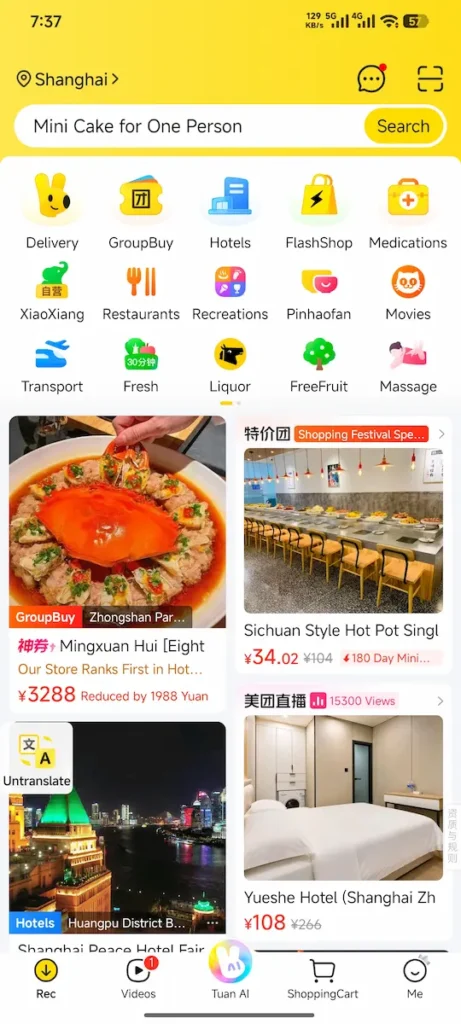
Meituan: open Settings → Language and switch to English. The home screen turns English. Tap into a restaurant and some deeper pages stay Chinese, but a floating translate button flips between the two — so you can run the whole thing in English. One heads-up: at checkout, select Alipay or WeChat Pay rather than typing your credit card directly into Meituan, or you’ll likely hit a decline.
eSIM or VPN — Get Online Before You Fly
And then the one everyone forgets. To reach Google, Gmail, WhatsApp and Instagram inside China, pick one of two: a roaming eSIM (it rides a foreign carrier’s network and bypasses the firewall on its own, no VPN fiddling), or a VPN. eSIM prices: 1 GB for 7 days runs about USD 4.5–5 (¥32–35), and 10 GB for 30 days about USD 25–28 (¥175–196). Airalo, Holafly and Nomad all sell China plans. VPNs like ExpressVPN and Astrill are steadier in China but pricier, around USD 30 (¥210) a month. For most tourists, the eSIM wins on hassle. We cover China SIM card and eSIM options in more depth here.
These “Must-Have” Apps Have a Catch
A list of the best China travel apps — and honestly, the must-have apps for China travel — isn’t worth much without the caveats. Here’s where the glossy guides go quiet.
Google Maps Is Basically Useless in China
Not a network problem — a coordinate problem. China encrypts its map data with a standard called GCJ-02, the “Mars coordinate system”. Google Maps doesn’t hold a China map license, so it layers standard satellite coordinates over an encrypted map. The result: your blue dot drifts 100 to 500 meters, and navigation shows you walking through rivers and buildings. One Reddit traveler put it bluntly: “Google Maps is completely useless in China… it puts your GPS dot 500 meters away in the middle of a river. You HAVE to use Amap or Apple Maps.” For English navigation, Apple Maps or AMap Global are the fix. The short version: Google Maps in China just isn’t reliable.
Meituan’s English Is Great — But Watch These Three Things
China food delivery is dominated by Meituan and Ele.me, and both run smoothly once you’ve set up Alipay. Meituan is now a genuinely English-friendly food delivery app in China, but three rough edges still catch tourists.
One: paying directly with a foreign card often gets declined. The fix — at checkout, choose Alipay or WeChat Pay and pay through your linked Visa or Mastercard. As one traveler put it: “…when I tried to pay directly with my foreign credit card at checkout, it kept declining. The trick is to select Alipay or WeChat Pay at checkout.”
Two: dish names inside small local restaurants are often weird machine translations — “spicy small lobster” becomes something bizarre. Always check the dish photos or tap into customer picture reviews before you order.
Three: the delivery driver will likely call you in rapid Chinese to find your hotel. Leave a note in Chinese with your hotel name (and room number), or hand your phone to the front desk and let them talk to the driver. If you’re planning meals around this, here’s what to eat in China.
Don’t Wait Until You Land to Download
Airport Wi-Fi often needs a phone number to connect, and app stores can be unreachable. Knock out every verification, card link and offline download while you still have stable Wi-Fi at home.
Your Bank Might Block Your First Payment
Many first-time visitors trip their bank’s fraud alert on their very first Alipay transaction in China. Tell your card issuer you’re traveling, and make a small test payment (say USD 1, about ¥7) as soon as you land, so you know the card works before you’re standing at a checkout.
China Travel Apps: FAQ
Can foreigners use WeChat Pay and Alipay?
Yes. Sign up with an overseas phone number, verify your passport, and link a Visa or Mastercard. No Chinese bank account needed.
Do I need a Chinese phone number?
No. An overseas number works for the main apps. Some Amap advanced features on Android may ask for one, but basic navigation is fine.
Does Google Maps work in China?
Barely. The GCJ-02 offset makes your location drift badly. Use Apple Maps or Amap.
Can I use just one app for everything?
If you want to travel extra light, UnionPay launched an all-in-one app called Nihao China in late 2025, bundling payment, transit, translation and tax refunds. It’s new and still expanding, so most people stay steadier with the classic trio of must-have apps for China travel: Alipay, Amap and DiDi.
Do I need a VPN?
If you want Google, WhatsApp or Instagram, pick one: a roaming eSIM or a VPN. For tourists, the eSIM wins on setup.
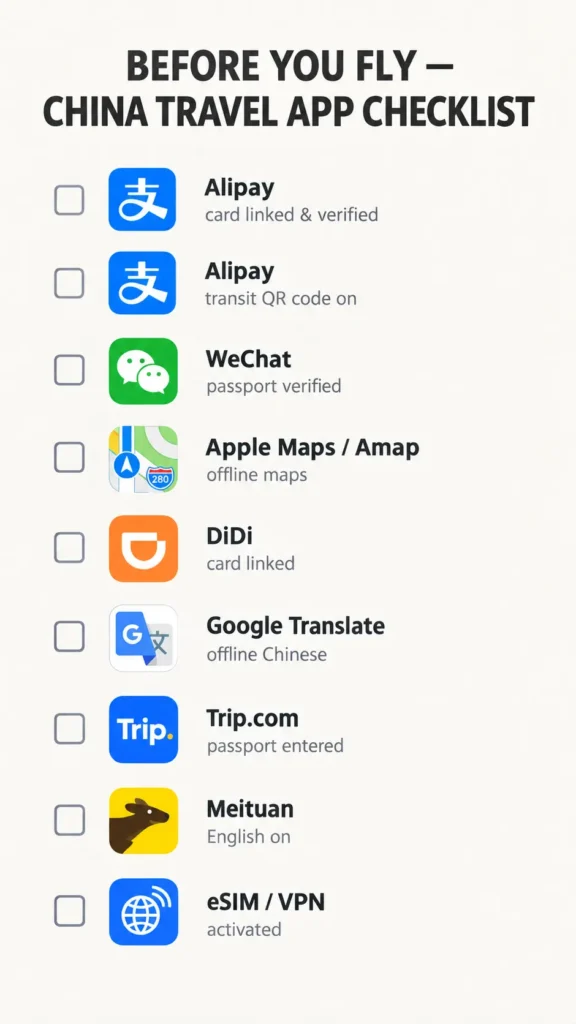
Your Before-You-Fly App Checklist
Tick all nine and you’re done.
- Alipay — downloaded, card linked, passport verified, one small test payment done
- Alipay — Transport QR code activated for your main destination city
- WeChat — signed up, passport verified
- Apple Maps or Amap — English switched on, city offline maps downloaded
- DiDi — installed, card linked (or set to pay via Alipay)
- Google Translate — offline Chinese pack downloaded
- Trip.com — registered, passport details entered
- Meituan — English switched on
- eSIM or VPN — bought and activated
Nine boxes. That’s the whole trick. The moment you pay for your first street snack by QR code, you’ll feel it click — your must-have apps for China travel are doing their job, and you’re moving through the country like a local. For more China travel tips, start here.

Ke Ping — Founder, Insider China Travel
Certified China Travel Specialist · Certificate details
I personally reply to every email and create free, custom trip frameworks. Already have a plan? I can arrange vetted local guides and private drivers. Over 5,000 travelers from 30+ countries have started their journey this way.
📋 Tell me about your trip ideaReplied within 24 hours. No charge, no obligation.